
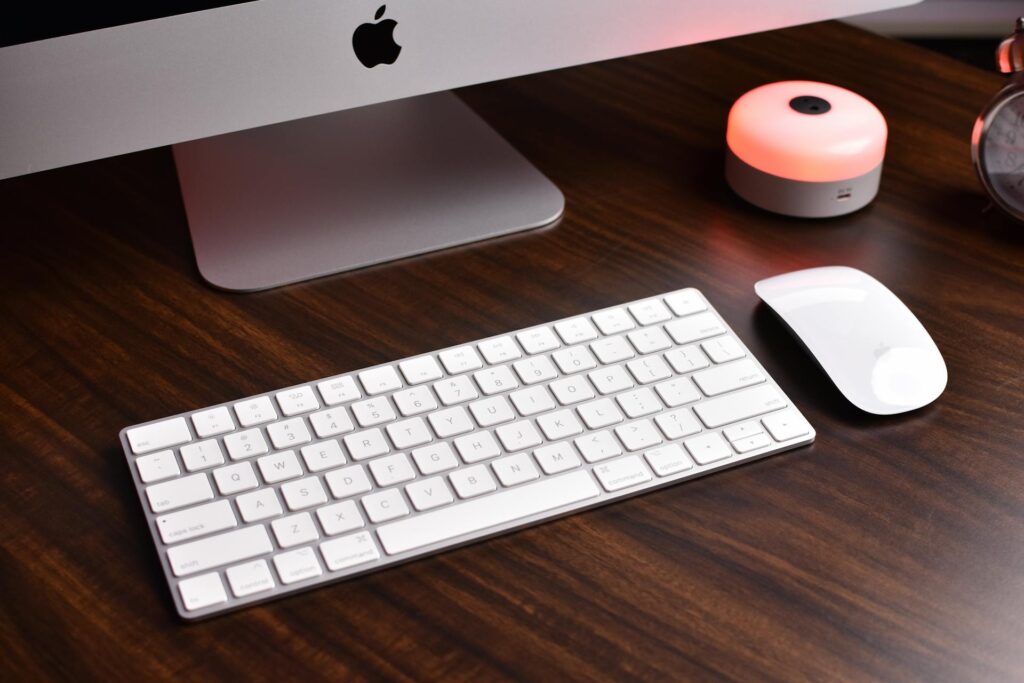
Choosing the right keyboard is more than just a comfort decision — for content creators, it directly impacts workflow speed, editing precision, and overall productivity. Two of the most popular premium keyboards are the Logitech MX Keys S and the Apple Magic Keyboard. But which one truly serves creators best in 2026?
In this comparison, we break down design, performance, productivity features, cross-platform support, and value — so you can decide which keyboard fits your creative workflow.


🎨 1. Design & Build Quality
Logitech MX Keys S
- Full-size layout with slight tilt for comfort
- Solid metal plate build — premium and durable
- Backlit keys with smart illumination (auto-adjust based on lighting)
Apple Magic Keyboard
- Minimalist slim profile — light and portable
- Chiclet-style keys with shallow key travel
- No backlighting (in some models)
Verdict:
MX Keys S wins for comfort and smart lighting — especially valuable for creators working in varied lighting environments like home studios or editing suites.
⌨️ 2. Typing Experience
Logitech MX Keys S
- Spherically-dished keys for accurate typing
- Quiet, tactile keystrokes
- Designed for long typing sessions (ideal for scriptwriting, blogging, editing)
Apple Magic Keyboard
- Low-profile keys with smooth travel
- Quiet typing but shallower feedback
- Great for casual use, less satisfying for heavy typing
Verdict: For creators who type a lot, the MX Keys S delivers a noticeably better feel and improves accuracy over long sessions.
🔧 3. Productivity & Customization
MX Keys S
- Logi Options+ lets you customize keys per app
- Create workflows for:
- Premiere Pro timeline shortcuts
- Photoshop tools
- Word formatting
- Connect to up to 3 devices
- Supports Logitech Flow for cross-computer typing
Apple Magic Keyboard
- Simple and intuitive for Apple ecosystem
- No advanced customization built in
- Connects primarily via Bluetooth to one device
Verdict:
Creators who rely on apps with heavy shortcuts (video editors, designers) will benefit more from the MX Keys S customization features.
🔄 4. Multi-Device & Cross-Platform Support
MX Keys S
- Works with Windows, macOS, Linux, iPadOS
- Easy device switching with one button
Apple Magic Keyboard
- Best with Apple devices
- Limited support for non-Apple systems
Verdict:
If you work across multiple devices (e.g., laptop + desktop + tablet), the MX Keys S is more flexible and future-proof.
🔋 5. Battery & Usability
MX Keys S
- USB-C fast charging
- Long battery life (days to months depending on backlight use)
Apple Magic Keyboard
- Rechargeable battery via Lightning or USB-C (newer models)
- Excellent battery life but no backlight
Verdict:
Both offer strong battery performance, but MX Keys S adds convenience with backlit keys and smart illumination.
💡 6. Price & Value
| Feature | Logitech MX Keys S | Apple Magic Keyboard |
|---|---|---|
| Build Quality | ⭐⭐⭐⭐ | ⭐⭐⭐ |
| Typing Comfort | ⭐⭐⭐⭐ | ⭐⭐⭐ |
| Customization | ⭐⭐⭐⭐ | ⭐⭐ |
| Cross-Platform Support | ⭐⭐⭐⭐ | ⭐⭐ |
| Productivity Features | ⭐⭐⭐⭐ | ⭐⭐ |
| Value for Creators | ⭐⭐⭐⭐ | ⭐⭐⭐ |
Verdict:
While the Magic Keyboard is sleek and works perfectly within the Apple ecosystem, the MX Keys S delivers more value for content creators — especially those who use multiple devices and powerful software.
🏁 Final Verdict: Which Is Better for Creators?
✅ Best for Heavy Typists & Multi-Device Creators:
👉 Logitech MX Keys S
This keyboard shines for:
- Long writing sessions
- Workflow customization
- Video editors, scriptwriters, editors, bloggers
- Multi-platform workflows
✅ Best for Minimalist Apple-Only Setups:
👉 Apple Magic Keyboard
A great choice if:
- You use primarily Mac or iPad
- You want ultra-light design and simplicity
Follow on Pinterest